.svg)
iPhone 18 Pro / Silver
Free iPhone 18 Pro Mockup
Create a free iPhone 18 Pro mockup from a screenshot of your app, website, or interface. Set the phone in a real 3D view, choose a finish, and export a transparent PNG without a watermark.
Create your iPhone 18 Pro mockup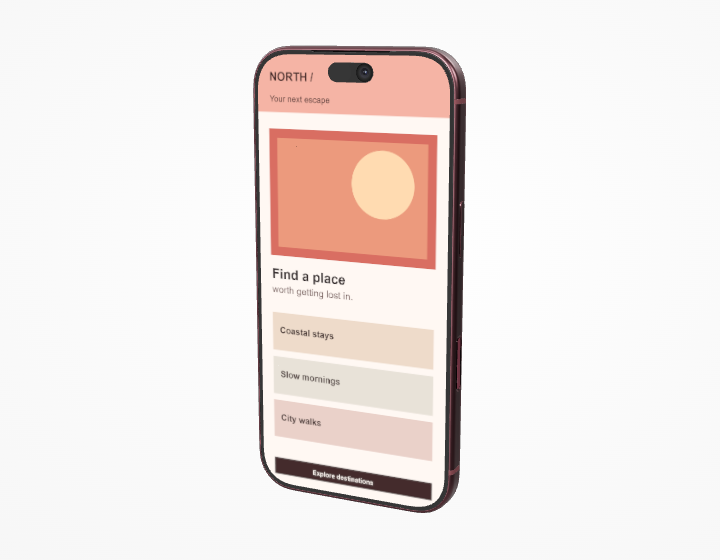
Portrait app flows, onboarding screens, landing pages, and focused interface details.
The display opening in this model is about 0.461 units wide for every 1 unit tall. A 1200 × 2600 portrait screenshot is a useful starting point; it is guidance for your input image, not the size of the final PNG.
Present one screen with room for the hardware
The Pro page is a good starting place when a single screen is the subject. A front view makes text and icons easy to inspect. For a portfolio hero, rotate the phone into a three-quarter view to show the frame and camera depth. The Silver, Black, Burgundy, and Glacier finishes change the surrounding hardware while your uploaded design stays on the display.
From screenshot to finished mockup
Upload a PNG, JPG, or WebP screenshot. Choose Fill to cover the display and shift the crop horizontally or vertically, or choose Fit to keep the entire image visible. You can rotate the uploaded design separately from the phone. Then drag the 3D iPhone 18 Pro mockup, choose a preset, fine-tune the frame angle in degrees, and move or soften the lighting. The resulting iPhone 18 Pro screen mockup can be exported at 2K, 4K, or 8K when your graphics hardware supports that size.
Will my screenshot keep its proportions?
Yes. Fill crops the screenshot to the display opening; Fit shows the whole image without stretching it. The input guidance above does not limit the export resolution.